
Back Seat Navigator
Affiliated Apps LLCMaps & Navigation
3.2344.00 Reviews
- Version
- 2.31.16.306
- Installs
- 100.00K
- Age Rating
- Mature 17+
Screenshots
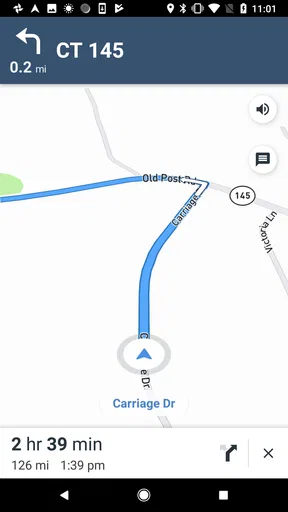
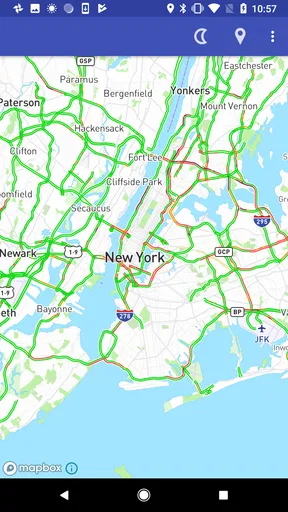
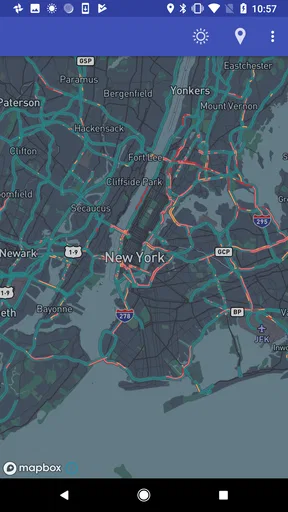
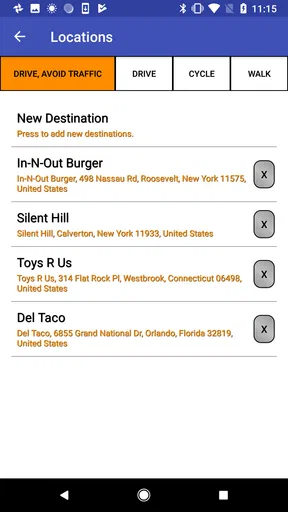
Our Review of Back Seat Navigator
 Analysis by Appyee
I enjoy navigation apps that take the job seriously, but sometimes a trip needs a little sarcasm. Back Seat Navigator is a free Maps & Navigation app from Affiliated Apps LLC built around that unusual idea: instead of behaving like a quiet, conventional route planner, it gives the experience a complaining back-seat personality. That makes it immediately different from the usual turn-by-turn tools, although it also means it is not trying to replace every feature you may expect from a full navigation suite.
After spending time with it, my view is that this is best understood as a novelty navigation companion rather than an all-purpose replacement for the map app already on your phone. Its appeal depends heavily on your sense of humor and on whether you want navigation to feel more entertaining. The free entry point makes it easy to try, while the Mature 17+ rating is an important signal for families and anyone who prefers completely clean, neutral guidance.
How the app feels when you are actually moving
The first thing I noticed is that the app’s identity is not hidden behind a complicated setup. Its short description, “Back Seat Navigator,” tells you more about the intended mood than a long feature list would. The central experience is the voice and attitude: you are not simply being directed from one road to another; you are being accompanied by a passenger who may have an opinion about your driving or decisions.
That personality can make routine journeys less dull. A familiar commute, a drive to meet friends, or a long stretch of highway can feel more playful when the navigation is not completely silent and formal. I can see the appeal for people who enjoy humorous commentary and do not want every app to sound like a calm piece of industrial equipment.
At the same time, the personality is also the main trade-off. A conventional navigation app is designed to disappear into the background when you do not need it. This one is more noticeable by design. If you want concise instructions with no distractions, the character may feel like unnecessary noise rather than a reason to keep using it.
In terms of perceived speed, I would set expectations sensibly. This is not an app I would choose because I expect a radically faster route calculation than established map platforms. Its value is the presentation and attitude around navigation, not a promise of superior mapping infrastructure. For a short trip, that distinction may not matter. On an unfamiliar journey, I would still want a dependable mainstream map app available as a backup.
What happens during a normal trip
A realistic use case is a weekend drive with one or two friends who already know they enjoy teasing each other. One person can handle the phone while the driver concentrates on the road, and the app becomes part of the conversation rather than just a utility. In that setting, the complaints can be funny because everyone understands that the app is performing a role.
That same situation also shows why the driver should not treat every comment as something requiring an immediate response. The safest workflow is to choose the destination and route before pulling away, set the phone where it can be seen without blocking the view, and let the app do its thing. The humor should remain background entertainment, not a reason to interact with the screen while driving.
I would be more cautious about using it for a time-critical appointment, an unfamiliar city, or a trip where a missed turn would create a serious problem. In those circumstances, the normal alternative is better because it puts clarity and predictable instructions ahead of personality. Back Seat Navigator can be amusing company, but amusement is not the same as navigation confidence.
Where the personality helps and where it becomes tiring
The strongest part of the concept is variety. A standard navigation voice can become easy to ignore, while a deliberately opinionated companion gives you a reason to pay attention. That can make repeated local trips feel less mechanical, especially if you usually drive alone and enjoy a little audio interaction.
The weakness is that humor has a limited shelf life. A joke that works on the first few drives may become repetitive if the same style of commentary keeps appearing. This is the kind of app I would rotate into my routine rather than use as my only navigation tool every day. The novelty is part of the product, and novelty naturally needs occasional breaks.
There is also a personal boundary involved. Some users will find the complaining tone entertaining; others may find it irritating, particularly in traffic or when they are already stressed. Because the app’s entire identity is built around this attitude, there is no separating the useful navigation element from the comic character as neatly as you can separate map layers or route preferences in a conventional app.
Heavy-use moments, stability, and practical limits
The most demanding moment for an app like this is not necessarily a single long drive. It is repeated use: several destinations in one outing, frequent rerouting, background audio, and a phone that may already be handling other tasks. I would judge it less by whether it feels flashy and more by whether it remains understandable when the journey becomes busy.
That is where I recommend a simple habit: prepare the route while parked and avoid changing several settings at once. If you are picking up people, making multiple stops, or driving through an area with confusing roads, the app should be treated as one part of your setup rather than the only source of orientation. Keep a conventional map option available so recovery is quick if the experience becomes distracting or the route does not suit you.
Recovery matters more than a perfect first run. If you miss a turn, the useful question is whether you can regain control without fiddling with the phone. With any navigation application, I prefer a workflow that lets me stop safely, check the route, and continue. The humorous angle does not remove that basic responsibility. In fact, the extra commentary makes it even more important to separate entertainment from decisions that affect the journey.
I would not describe this as a resource-heavy app based on its identity alone, and I would not claim a particular battery or memory result without a consistent test across devices. What I can say is that navigation apps generally deserve sensible preparation: start with a charged phone, keep the screen positioned safely, and avoid running unnecessary apps if the device is older. Those steps are especially useful when you are already relying on audio and location services during a longer trip.
Reliability is about more than opening successfully
An app can launch quickly and still be the wrong tool for a demanding journey. For me, reliability includes clear guidance, a stable session, understandable recovery after an error, and behavior that does not encourage unsafe attention shifts. Back Seat Navigator’s unusual character is memorable, but memorable is not automatically reliable.
The public response is mixed rather than universally enthusiastic: it holds an average rating of 3.2 from around 600 ratings, with more than 300 written reviews. I read that as a reason to approach it with realistic expectations. There is enough interest for the concept to have found an audience, but the score does not suggest that every user considers it an essential navigation replacement.
Its reach is still meaningful for a niche product, with over 100,000 installs. That tells me the idea is easy enough to understand from the outset: people see the appeal of a back-seat personality and are willing to try it. It does not, by itself, prove that the app will be the best choice for your particular phone, route, or tolerance for commentary.
One practical question is whether it is suitable for children. I would not assume that. The Mature 17+ content rating makes this a poor choice for a family road-trip device used by younger passengers. Even if the adults in the car enjoy the joke, parents should choose a navigation option whose age suitability matches everyone who may hear or use it.
Older phones and the cost of keeping it
The app supports devices running Android 6.0 or later, which gives it a broad compatibility range among older Android phones. That is useful if you have a spare handset for the car rather than a recent flagship. Still, compatibility is not the same as a guarantee of identical performance. An older phone with limited free storage, an aging battery, or several active apps may feel less comfortable during navigation than a newer device.
The current version is 2.31.16.306. I would keep the app updated through the normal store process, particularly if you plan to rely on it regularly. Updates can matter for stability and compatibility, even though the version number alone does not tell me how it will behave on every handset.
Back Seat Navigator is free to install, which removes the biggest barrier to experimenting with it. There are in-app purchases ranging from $3.99 to $29.99 per item, so I would look carefully at the purchase screen before confirming anything. The sensible approach is to use the free experience first and decide whether the personality adds enough value to justify spending more. If you only want a dependable map, paying for a novelty layer may not be worthwhile.
That pricing structure also affects who should skip it. Someone searching for a completely free, quiet, feature-rich navigation replacement may be happier with a standard map service already included on the phone. Someone who sees the app as entertainment attached to a drive may be more comfortable treating optional purchases as a personal choice rather than a necessary part of navigation.
How it compares with familiar alternatives
Compared with mainstream map applications, this app is narrower but more distinctive. The usual alternatives win when you need a mature navigation workflow, broad trip planning, familiar map presentation, and a calm interface that almost everyone in the car understands. They are also the safer recommendation for work travel, unfamiliar roads, and situations where you cannot afford to be distracted by a character.
Back Seat Navigator wins on atmosphere. It turns navigation into a small performance, which can be exactly what a group of friends wants on a casual outing. It is also easier to justify as a secondary app: use the standard map for serious routing, then bring this one out when you want a more playful companion.
That comparison reveals the app’s real audience. It is not for people asking, “Which navigation tool gives me the most complete travel system?” It is for people asking, “Would I enjoy having a complaining passenger in my phone?” If the second question makes you smile, the free download is a low-risk experiment. If it makes you tired already, no amount of conventional navigation utility will change the central tone.
Three ways I would use it more intelligently
First, I would use it on routes I already know. Familiar roads let you judge the personality without placing all your trust in an unfamiliar interface. You can learn whether the commentary is entertaining, whether it becomes repetitive, and whether it fits your driving style before trying it on a complicated trip.
Second, I would make it a social choice rather than a private default. Tell passengers what kind of app it is before starting, especially because of the Mature 17+ rating. If everyone understands the tone, the app can add to the trip. If one passenger dislikes that style, switching to a quiet alternative is likely to improve the journey immediately.
Third, I would separate route confidence from comic value. Use the app for the experience, but keep a backup plan for important destinations. A saved address, a second map app, or simply knowing how to reach a safe stopping place can make recovery much less stressful. This is a useful trade-off that is easy to miss when the store concept sounds entertaining: a funny navigator still needs the same responsible driving habits as any other navigation tool.
For users wondering whether it works better for short or long trips, I would start short. Short drives let you test the tone and perceived responsiveness without committing to hours of commentary. Longer journeys may be enjoyable for the right audience, but they also expose repetition, battery concerns, and the limits of using a novelty-focused tool as your sole guide.
My performance verdict
My final opinion is positive but specific. Back Seat Navigator is a clever, free Maps & Navigation app for adults who want their route guidance to have an attitude. I appreciate that it offers something the standard alternatives generally do not: a deliberately opinionated travel companion. That makes it memorable and gives it a genuine use case on relaxed drives with friends.
I would not install it expecting the fastest, most complete, or most dependable navigation system on the market. Its perceived performance is tied to how well the personality fits your trip, and its stability should be judged on your own phone rather than assumed from the concept. The mixed average rating of 3.2 reflects the fact that this is a strongly opinionated experience: the same quality that attracts one user may annoy another.
My recommendation is to treat it as a playful second navigator, not your only safety net. Try the free version on familiar roads, keep the phone out of your hands while driving, and remember the Mature 17+ rating before sharing it with younger passengers. If you want quiet, conventional guidance, choose the usual map alternative. If you want a navigation app that can complain from the passenger seat and you enjoy that kind of humor, this one is worth trying.
Affiliated Apps LLC has created a product with a clear personality rather than another indistinguishable map interface. That focus will not suit everyone, but it gives the app a reason to exist. For the right driver, the best feature is not a technical specification at all; it is the feeling that an otherwise ordinary trip has acquired a slightly argumentative companion.
Verdict
Strengths of Back Seat Navigator
- Clear directions help passengers guide the driver from the back seat.
- Useful for families, groups, and passengers who want to share navigation duties.
- Simple concept that can reduce distractions for the driver.
- Can make long road trips more interactive and collaborative.
- Helpful when the passenger has a better view of maps or landmarks.
Limitations of Back Seat Navigator
- Its usefulness depends on having an engaged passenger available.
- Instructions may become confusing in heavy traffic or complex intersections.
- Screen sharing can still distract passengers during a journey.
- Accuracy depends on the underlying map and location services.
- Less practical for solo drivers or short everyday trips.
Other Releases by Affiliated Apps LLC
View All
What The Forecast
Weather4.0
Similar Picks in This Category
View All
Uber - Request a ride
Uber Technologies, Inc.4.7


inDrive. Rides with fair fares
® SUOL INNOVATIONS LTD4.8

Yandex Go: Taxi Food Delivery
Mikromobilnost LLC Belgrade4.8

Bolt: Request a Ride
Bolt Technology4.8

Rapido: Bike-Taxi, Auto & Cabs
Rapido Bike Taxi4.8
Frequently Asked Questions
What is Back Seat Navigator and what does it do?
Back Seat Navigator is a navigation-focused app designed to help passengers follow a journey and provide useful directions from the back seat. It can be helpful when traveling with family or friends, especially when the driver wants assistance with route choices, exits, traffic conditions, or nearby stops. Its exact tools may depend on the device, location services, and available map data.
Can Back Seat Navigator be used without an internet connection?
Offline availability depends on the version of the app and whether it supports downloaded maps or stored routes. In general, navigation applications work best with an active internet connection because they may need current map information, traffic updates, and location data. Before traveling to an area with weak coverage, users should check the app’s settings and prepare any routes or map information in advance.
Does Back Seat Navigator track my location or collect personal information?
The app may require access to your device’s location to provide accurate navigation-related information. Depending on the platform and version, it could also process technical data, usage information, or diagnostic details. Before installing, review the permissions requested in the Google Play Store or App Store and read the developer’s privacy policy. Location access can usually be limited or disabled through device settings.
Is Back Seat Navigator suitable for children or passengers who are not familiar with navigation apps?
Back Seat Navigator may be useful for passengers of different ages, but its suitability depends on how clearly they can read maps, understand directions, and operate the interface. A child or inexperienced user should not be expected to manage the app while the vehicle is moving without adult supervision. The driver should always remain focused on the road, while route adjustments are handled safely by a passenger.
What should I check before downloading Back Seat Navigator?
Before downloading Back Seat Navigator, check that your Android or iOS device meets the app’s requirements and has enough free storage. Confirm that location services are available, review the permissions and privacy information, and look at recent user feedback for compatibility or performance issues. It is also wise to test the app on a short trip first rather than relying on it for an unfamiliar journey.
